CONSOLE ERRORcheckout.js:8
[demo] Checkout configuration is incompatible with the new SDK. DeployWatchers
HTTP 200 tells you the page arrived. It doesn’t tell you the order form survived. Explore what our browser checks found after a deliberately broken release.
No signup. No live changes. A fictional store, with real recorded results.
Switching releases changes the saved example below. It does not deploy code or run checks.
The document was delivered.
A console error + an exception.
Against the approved baseline.
An initialization error stops the script before it mounts the form. The product and price remain visible, and the page still returns HTTP 200.
The console explains where execution stopped. The screenshot shows what disappeared.
These messages were captured in the recorded demo. Two entries do not mean two independent bugs.
[demo] Checkout configuration is incompatible with the new SDK.Cannot read properties of undefined (reading 'mount')The healthy version mounted the order form.
if (release.scenario === 'broken') {
  console.error('[demo] Checkout configuration is incompatible with the new SDK.');
  const checkoutSdk = undefined;
  checkoutSdk.mount('#checkout-slot'); // Throws here.
}

// Never reached in the broken release.
checkoutSlot.replaceChildren(orderTemplate.content.cloneNode(true));
This simulates an unavailable SDK. It is not a bug in a real payment provider.
Scope: errors during one browser visit. This is not session replay and does not test every click or checkout flow.
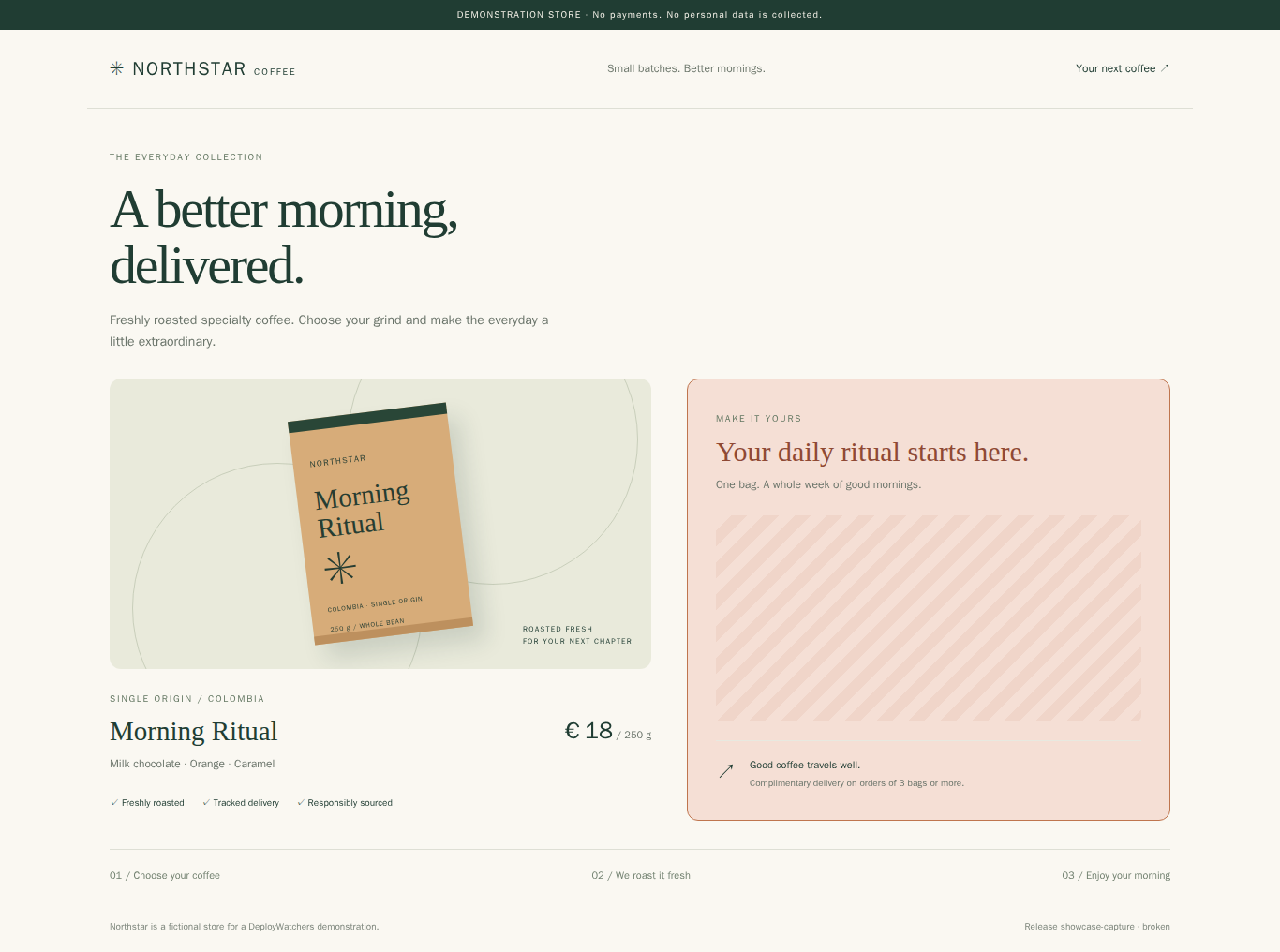
The form disappeared and the checkout panel changed. Drag the divider, use the arrow keys, or view the recorded difference.
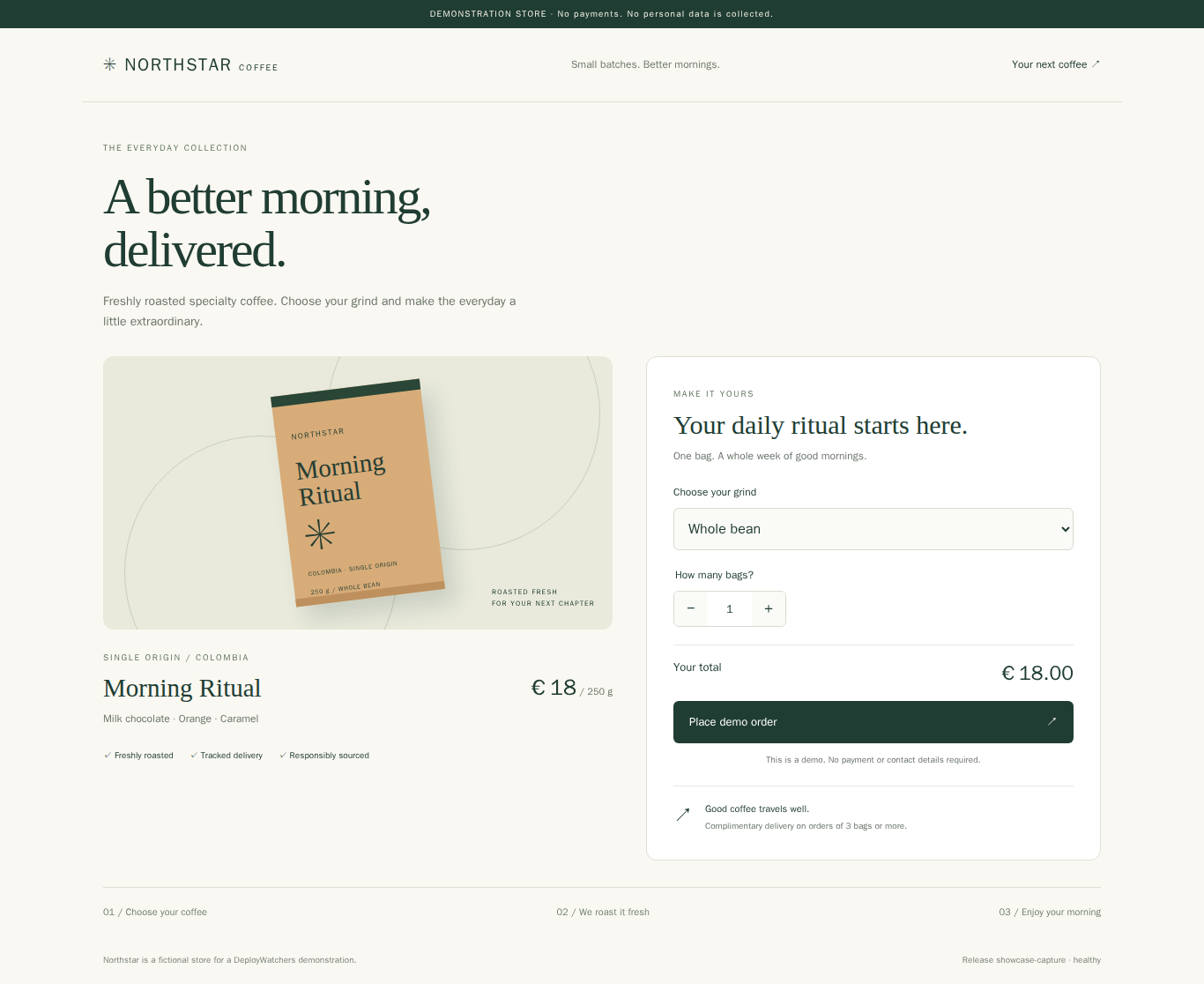
The comparison uses fresh local captures of the same demo code. The 25.35% result above comes from the original recorded run, not a new calculation on these images.
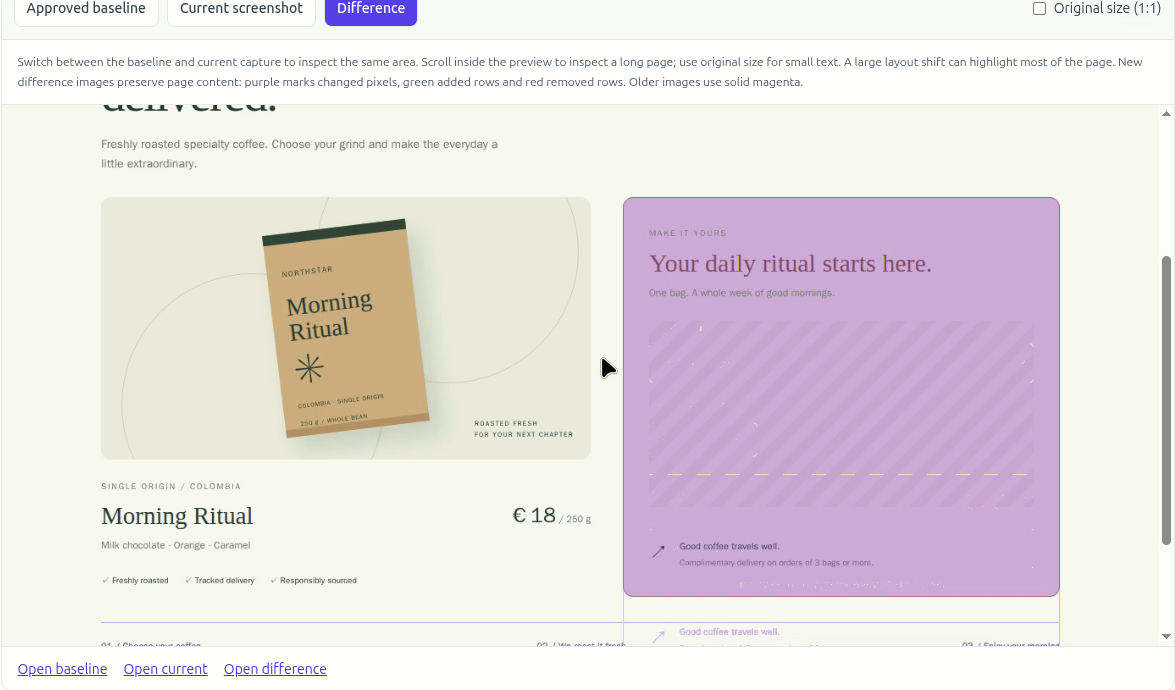
The experiment caught a page-load exception and a visible regression. It did not complete a real purchase, test payment processing, or validate every user journey.
Monitor important URLs separately. Keep your application and end-to-end tests. An unchanged screenshot and a clean console are useful signals, not a guarantee that every feature works.
Recorded on November 22, 2026 using a fictional Northstar Coffee store. The broken release deliberately disables checkout initialization and changes its styling. The recorded results are transcribed from the real product run; they are not live telemetry. Storefront comparison images were recreated locally from the same demo source. The original visual difference and dashboard screenshot are included as evidence. This page has no connection to production APIs, customer data, or the application's database.
View the recorded dashboard screenshot ↗ · View the sample data ↗
Explore the product or ask a question. No email required to use this demo.